01
A customer walks out the door
The team wants a review, but the customer still has to find the right Google or Tripadvisor page. A link, QR, NFC, or SMS path puts that ask in front of them while they still care.

For a Paris-based product helping multi-location businesses keep review forms, branches, and the people who run them in one place.
Kwico lets a business create review forms, choose which form and fields each location uses, and give every branch its own users — while customers leave feedback through Google, Tripadvisor, QR, NFC, SMS, or a Kwico link.
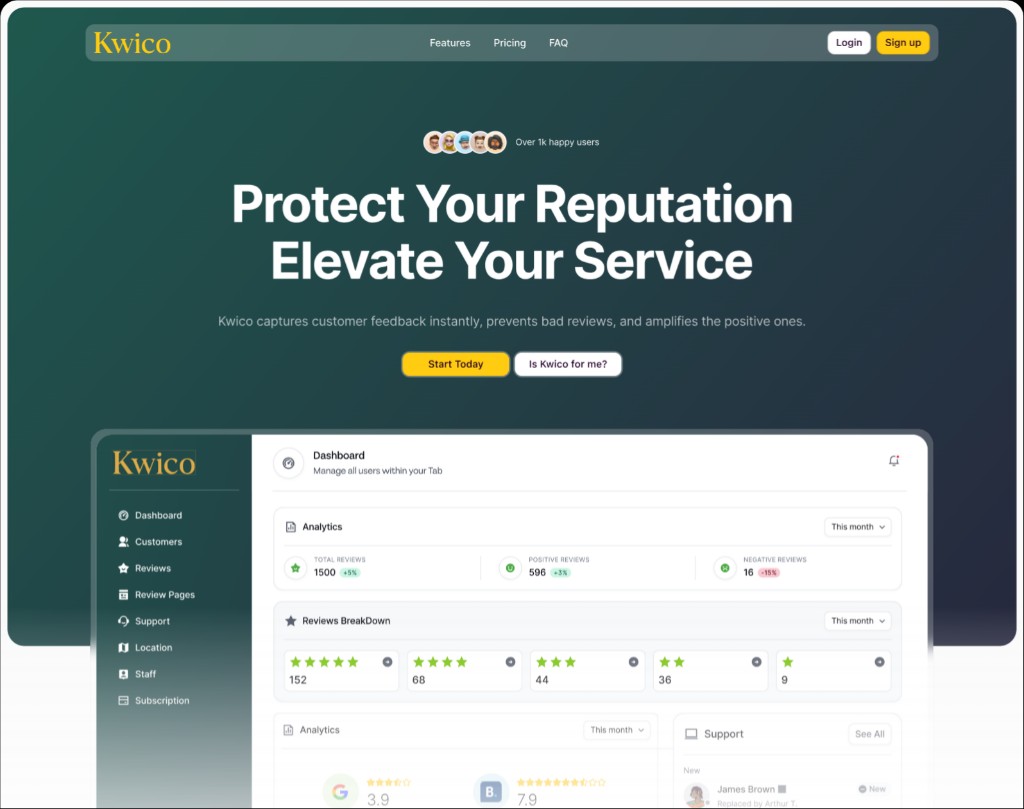
Kwico is a Paris, France product — a review platform for businesses with more than one location. From one account they build review forms, decide which form each branch shows, pick which fields customers fill in, and give each location its own users and login.
Create forms once, then set which location shows which form and fields
Run their branch with their own users — without seeing every location
Use the review flow for the location they are signed into
Leave a review through a link, QR, NFC, SMS, Google, or Tripadvisor — without hunting for the right page
The team wants a review, but the customer still has to find the right Google or Tripadvisor page. A link, QR, NFC, or SMS path puts that ask in front of them while they still care.
Downtown wants name and email on the form. The airport kiosk only wants a quick rating. Without one product, each branch invents its own form — or shares one form that fits nobody.
Head office needs full access. A branch manager only needs their reviews and team. Shared logins either leak everything or block the people who need to work.
Google ratings, paper comments, and form replies never sit next to the customer who left them. Looking up “what did this person say last time?” means searching again from scratch.
The business builds review forms, chooses which form and fields each location uses, and gives every branch its own users and credentials. Customers reach the right review path through Google, Tripadvisor, QR, NFC, SMS, or a Kwico link — and new reviews show on the dashboard with customer history.
You are the business admin setting up review forms for every location.
You create a review form and choose the fields — name, phone, email, company — then decide which are required.
You assign which form each location shows. Downtown gets the long form; a kiosk gets the short one — from the same software.
You add users and credentials for each branch so managers and staff only work inside their location.
One shared Google link for every branch, a paper form at the counter, and managers borrowing the owner’s login to see reviews.
Build forms once → pick which form and fields each location uses → give each branch its own users → customers scan, tap, or click into the right review path → feedback shows on the dashboard with history.
Create review forms and choose which fields customers fill in
Assign a different form (and fields) to each location from one setup
Give every branch its own users and login
Send customers to Google, Tripadvisor, QR, NFC, SMS, or a Kwico review link
Add every branch under one business account.
Build once, then decide per location which form and fields customers see — without a separate tool per branch.
Credentials and access follow the location, so managers work their branch without owning the whole company login.
NFC, SMS, QR, and links start the ask. Positive feedback can go to Google or Tripadvisor; tough feedback can stay private first — then everything still shows on the dashboard.
Forms, locations, branch users, and review channels sit in one product. Feedback is no longer a side task — it is how each location asks and how the team follows up.
Tell us who it is for and what the day looks like today. You get a written scope and a fixed price per phase within 48 hours.
You leave the first conversation with an honest scope — including what not to build.